C-GitLab Runner On Windows
Metadata
Tags:: #🗂️/🌱️
Topics:: Gitlab Docker
Links:: P-2023-01-專案-GitLab可行性測試
Foreword
- 在Windows上安裝Runner,由Docker的GitLab Server指派CI/CD工作。
Content
安裝Runner
- 下載gitlab runner 並改名 gitlab-runner.exe。
- 在專案設定的CI/CD Runner區段取得URL,Token,在下一步註冊時需要用到。
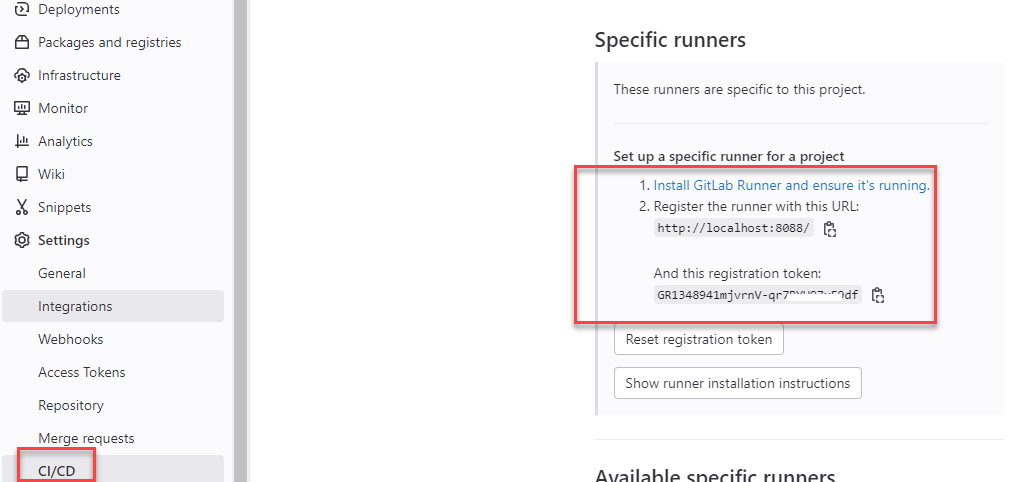
ps: 也可以在Group取得Token,此方式可以為此群組下的所有專案工作。 - 在執行檔位置,執行註冊命令
>gitlab-runner.exe register
	1. tag 輸入lab,給Server識別指派工作用。
	2.最後的指令選項輸入shell,完成會產生組態檔config.toml。
- 修改config.toml,將shell改成shel="powershell"
- 執行Runner
gitlab-runner.exe run
6.在Admin/Runner可以看到運行中的狀態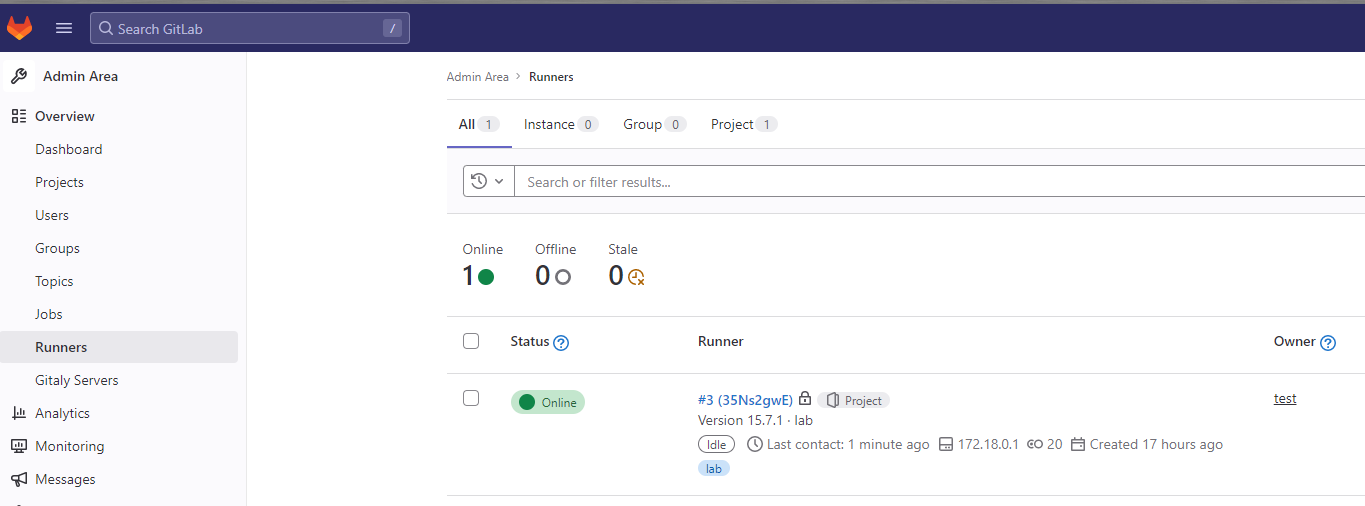
7. 在CI/CD測試建置,使用tag找到Runner,並輸出hello world
stages:
  - build

build-job:
  stage: build
  tags:
    - lab
  script:
    - echo "Hello world"
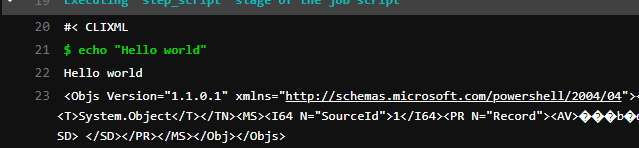
- 成功的話,在Runner會到接到工作指派

- Server會看到輸息輸出。
Question
- 目前測試簡單的Hello world,感覺不太穩定,第一次失敗,第二次成功,待查。
See Also
Reference
- R-2023-01-11 在Gitlab上建立Runner
- 架設 GitLab CI RunnerGitlab的CD,每個分支都是獨立的建置、發行、測試,沒有上下游關係。
CD Temp backup
TineaERP
stages:
  - build
  - deploy

build-job:
  stage: build
  tags:
    - lab
  script:
    - dotnet build TinaERP-Temp.sln -c release
  artifacts:
    name: "$CI_COMMIT_REF_NAME"
    paths:
      - TinaERP.Application.Server/bin/*


deploy-job:
  stage: deploy
  tags:
    - lab


  before_script:
    - get-childItem
  script:
    - dotnet publish TinaERP.Application.Server/TinaERP.Application.Server.csproj /p:PublishProfile=bud4net-ap1-iis /p:password=CK -c Release --self-contained true -r win-x64
Test
stages:          # List of stages for jobs, and their order of execution
  - build
  - test
  - deploy

build-job:       # This job runs in the build stage, which runs first.
  stage: build
  tags:
    - lab
  script:
    - dotnet build test.sln -c release
    - new-item kim2.txt
  artifacts:
    name: "$CI_COMMIT_REF_NAME"
    paths:
      - test/bin/*
      - kim2.txt


unit-test-job:   # This job runs in the test stage.
  stage: test    # It only starts when the job in the build stage completes successfully.
  tags:
    - lab
  needs:
    - job: build-job
      artifacts: true

  before_script:
    - get-childItem
  script:
    - echo "Running unit tests... This will take about 1 seconds."
    - test\bin\release\net7.0\test.exe